The office and the field on the same page.
Drag jobs around the calendar, hand crews a step-by-step tracker on their phones, and know how much material next month’s jobs need.
- Month, week and day calendars with drag-and-drop and a map of each day’s stops
- Crews tap through your job steps on their phone, with photo stages from prep to top coat
- A chat for every job, with one-tap pings and shared pot-life and recoat timers
- Customers get an on-my-way text with a live map, and a page with their date and crew
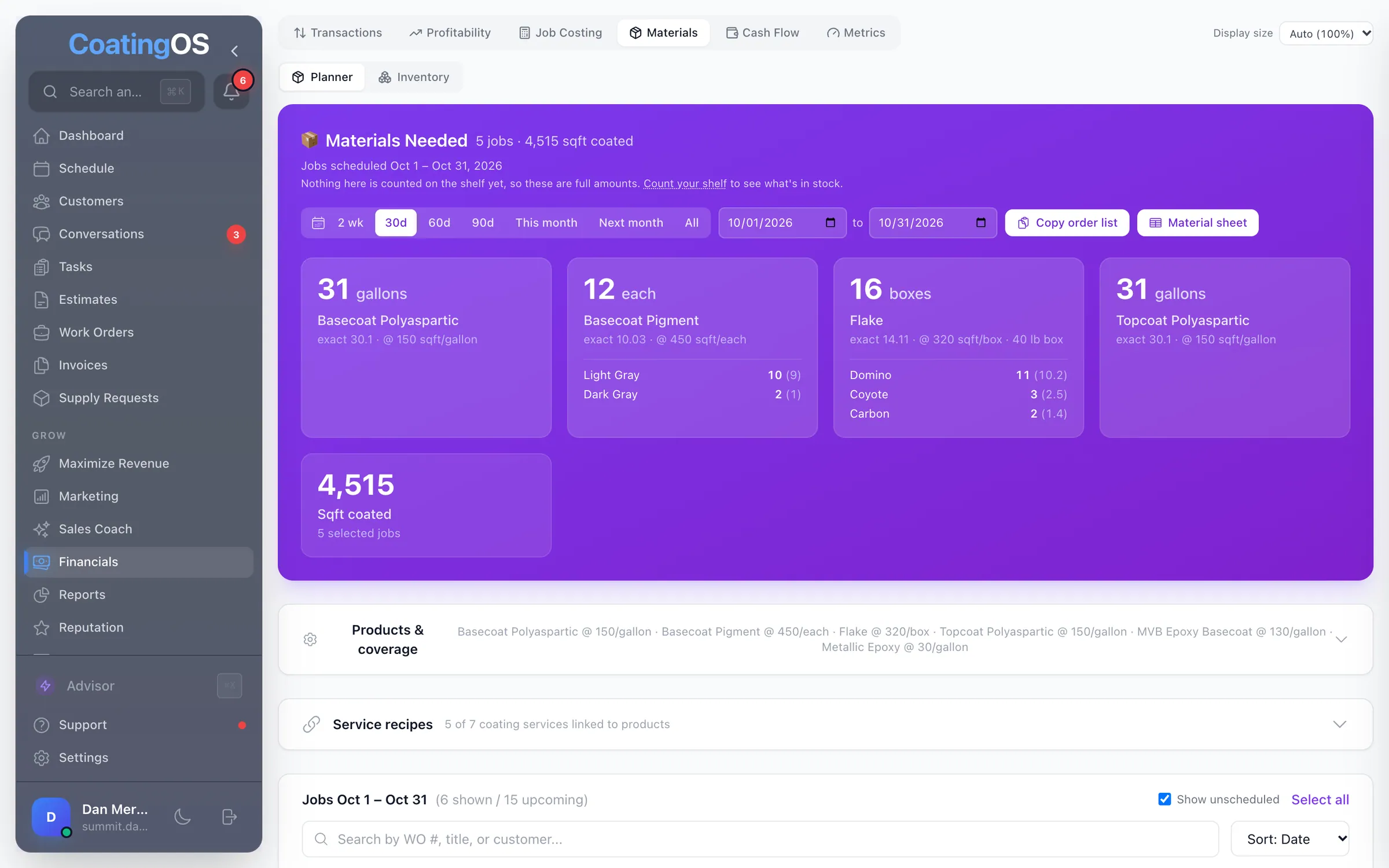
- Booked jobs become a material order: gallons, pigment and boxes of flake by blend
- GPS clock-in, timesheets and time-edit requests
Built by a floor coater with 2 crews


What it looks like in CoatingOS today.
Taken from the live app with a demo company's data.

All 60 Operate features.
Switch on means it's ready, and it runs only while its switch is on. Connect first means it needs an account hooked up, like your bank or Square. Texting and calling run on your CoatingOS number and prepaid credits.
Scheduling13
- Calendar views
Month, week and day views of jobs, visits, tasks and time off
- Drag-and-drop scheduling
Drag a job or visit to another day or time
- Day map with drive times
Map a day's stops with drive minutes and miles between each
- Revenue view
Each day's booked revenue against your daily target, plus profit
- Calendar sync
Subscribe to your jobs in Google, Apple or Outlook Calendar
- Holidays and weather
Public holidays marked on the calendar; today's weather up top
- Assign a whole crew
One tap puts every member of a crew on a job
- Bulk-assign to a crew
Put several jobs with no crew onto one crew at once
- Crew dollars per day
Each crew's booked dollars per day, colored against its goal
- Multi-day jobs
A job can run several days and shows on every day it covers
- Block off time
Block vacations and shop days for one person or the whole team
- Drive time and nearby jobs
See drive time from the shop and nearby jobs while picking a date
- Schedule on the phone
Calendar or list of jobs with day totals, directions and ETA texts
Work orders13
- Work orders
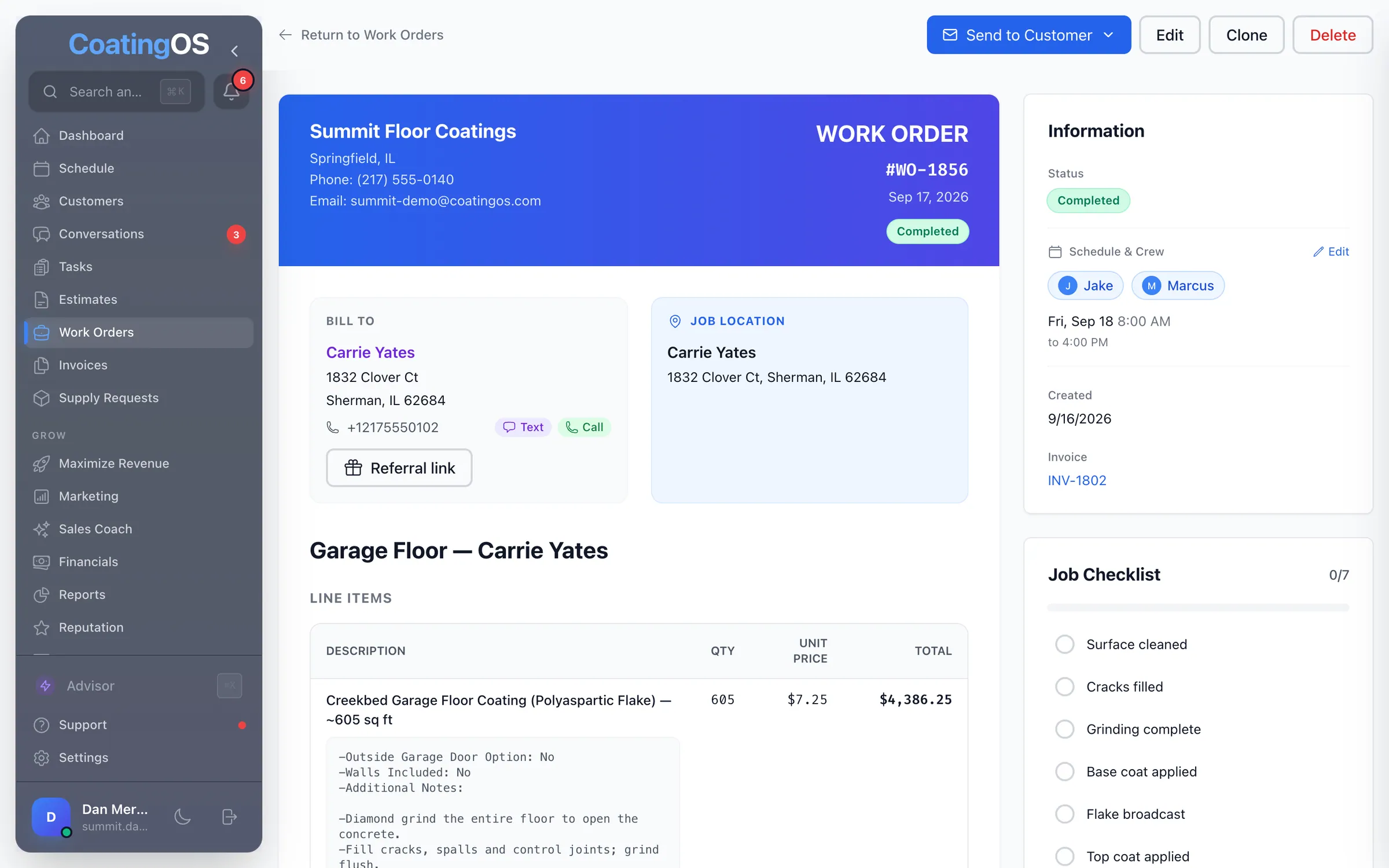
Every job with status tabs, crew, dates, line items and notes
- Job tracker steps
Your crew taps through each job, step by step, on their phone
- Tracker templates
Build your own job steps and give each service its own tracker
- QC photo stagesCoater-only
Before, prep, base and final photos with time, temperature, humidity
- Required photos
Set how many photos a job needs before the crew can finish it
- Job checklists
A checklist on every job, plus a prep list for the customer
- Touch-up requests
Send a touch-up to the original crew; they accept or pick a time
- Status from invoices
Jobs move to Invoiced when billed and Completed when paid
- Send the job date
Text or email the customer their date, time and job page link
- Day-before job reminderSwitch on
A text the day before the job asking to clear the work area
- Job page opens
See when and how often the customer opened their job page
- Payments on the job
Record a payment on a job before invoicing; it moves to the invoice
- Job completed alert
Owners and admins get an alert when a job is marked complete
Crew chat and the field12
- Team chat
Team chat, direct messages and a chat for each job, with photos
- One-tap crew pings
Need help, Call me, Ready for next coat, or buttons you set
- Shared coating timersCoater-only
Pot life, flash-off, recoat and walk-on timers the whole crew sees
- Timers that start themselvesCoater-only
Tracker steps start pot life, walk-on and vacuum-bag timers
- Step updates in the job chat
Each tracker step posts to the job's chat for the office to see
- Job pace
Which step the crew is on, time in it, and a likely finish time
- Crew voice calls
A voice call in each job chat that the office can join from the web
- On my way texts
One tap texts the customer your ETA and a live tracking link
- Live ETA map
The customer watches the crew's approach on a live map
- Arrival text
After the before photos, the customer gets a 'we've arrived' text
- Customer texts reach the crew
Techs on today's job get the customer's texts and can reply
- Customer job page
Date, arrival window, crew, progress photos and a prep checklist
Time clock and crews9
- GPS clock in and out
Clock in on the phone with location, breaks, notes and the job
- Clock in from the job
Starting a job on the tracker clocks the tech in; finishing clocks out
- Clock-in alerts
The office gets a push when someone clocks in or out
- Forgotten clock-outs
Shifts left open 14 hours close at 8 hours, flagged for review
- Hours and timesheets
Hours by week, pay period or month, with every shift listed
- Time edit requests
The crew asks to fix a shift; a manager approves or denies
- Who's working now
Who's clocked in, on which job, and where they last checked in
- Crews
Crews with a lead, a color and a daily revenue goal
- Weekend sign-ups
Crew members pick the weekends they could work, on the phone
Materials and supplies11
- Material plannerCoater-only
Turn booked jobs into an order list for any date range
- Service recipesCoater-only
How much of each product a service uses, by square foot or job
- Flake and pigment detectionCoater-only
Finds each job's flake blend and pigment shade from its lines
- Inventory and run-out
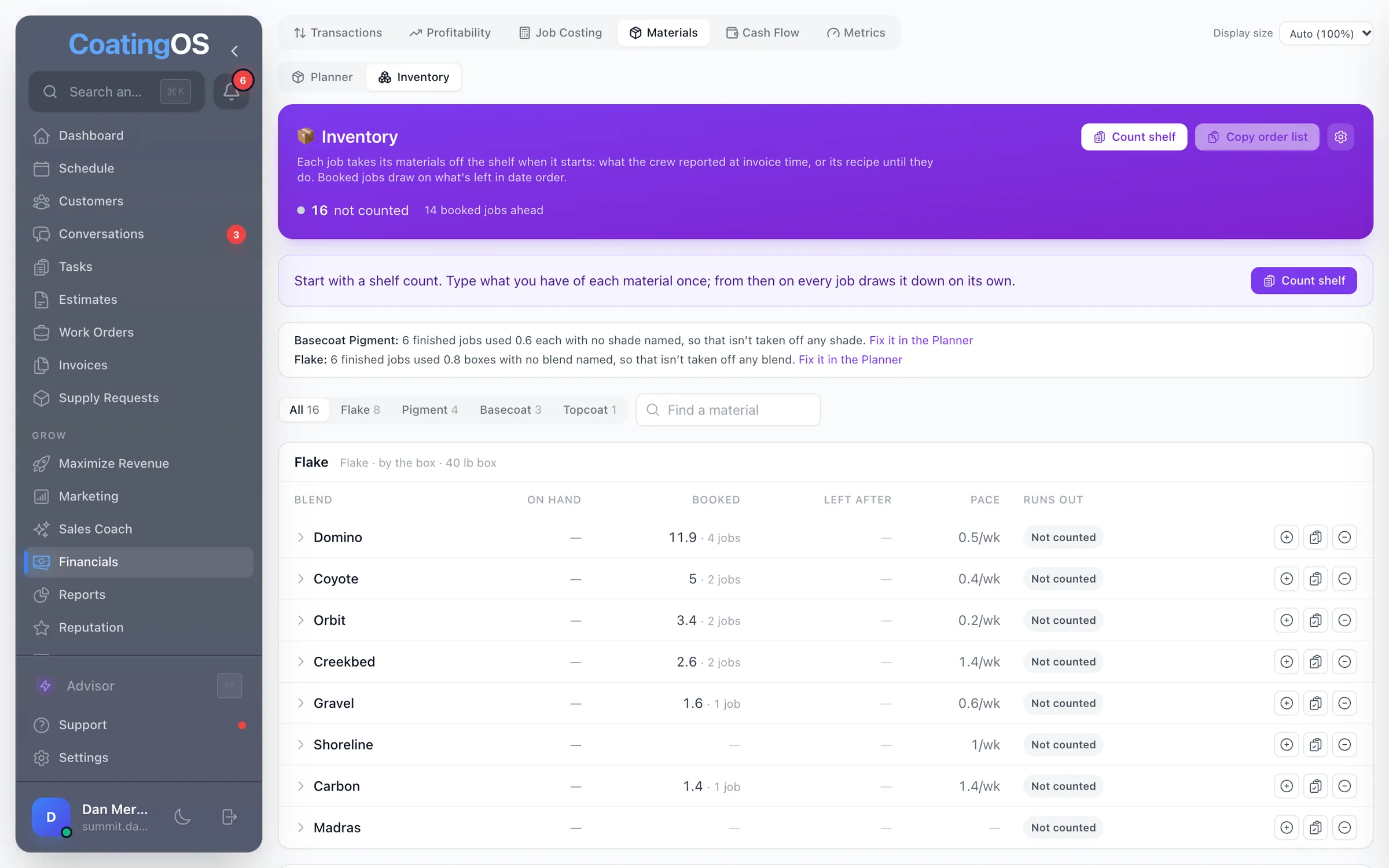
On hand, booked, and the day each product runs out
- Low-stock flags
Flags items to order soon when stock hits your line or runs short
- Material sheetsCoater-only
One printable page per job: flake color, sqft and every material
- Material usage on the job
Log what a job used and see what's on the shelf for it
- Weigh it in poundsCoater-only
Type flake and other amounts in pounds; saved in your unit
- Job actuals
Confirm the materials a job really used when you invoice it
- Supply requests
The crew asks from the phone, the office orders, the crew is told
- Supply catalog
Your usual supplies with links to reorder them
Multi-location2
- Location switcherConnect first
Jump between your locations without logging out · Linked for you by our team
- Location scoreboardConnect first
Rank locations on leads, speed, close rate, ROI and revenue · Linked for you by our team
Run the whole business from one place.
A floor coater with 2 crews created CoatingOS specifically to save you time and increase your revenue and profit. $278/mo for every feature on this site, your website included. Unlimited users and a 7-day free trial.